Cold Email Infrastructure for Agencies: How to Set Up Domains and Mailboxes per Client
inboxy team · · 7 min read
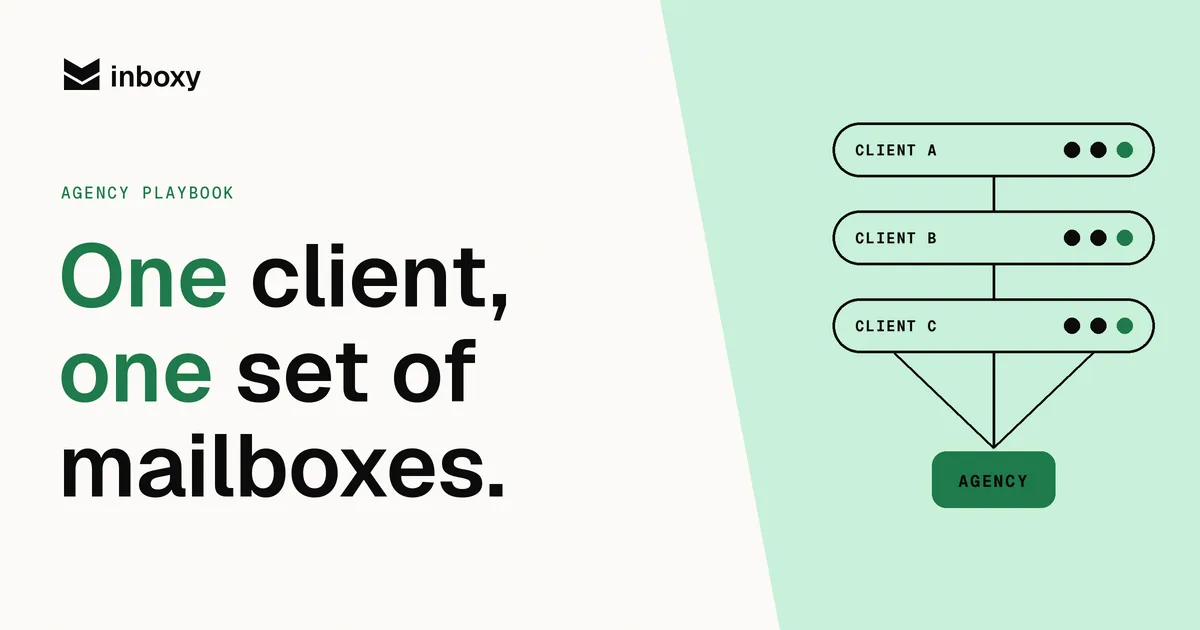
Short answer: give every client their own sending domains, their own mailboxes and their own sequencer workspace, and never share any of them across clients. That one rule keeps a bad list or a pushy campaign on one account from dragging down the rest, makes billing simple, and turns offboarding into a clean handover instead of an untangling job. This guide covers how to set it up, how to size it, and how to run it as you add clients.
Why shared infrastructure goes wrong for agencies
When you start out, it's tempting to run every client from one pool of domains and mailboxes. It's fewer things to set up and pay for. It also means every client shares one reputation.
- One client's mistake becomes everyone's problem. A client hands you an old list, bounces climb, and the mailboxes sending for three other clients start landing in spam.
- You can't tell what caused a drop. When placement slides on shared mailboxes, there's no clean way to say which campaign did it.
- Billing turns into guesswork. Splitting one mailbox bill across clients by hand never matches what each client actually used.
- Offboarding is messy. When a client leaves, their replies, their sending history and their prospects are mixed in with everyone else's.
Separate infrastructure costs a little more setup time per client. It saves far more when something goes wrong, and with enough clients something always does.
The per-client setup
Here's what each client gets. Treat it as a checklist you run on every new account.
1. Sending domains that look like the client
Never send cold email from the client's main domain. Buy lookalike domains on their brand, such as getacme.com, tryacme.com or acmehq.com, and keep the main domain for their normal business email. Our guide to separate domains for cold email explains why, and redirect each one to the client's website so prospects who check it land somewhere real.
Skip shortcuts like aged domains. A new brand lookalike is cheaper and you know its history.
2. Two or three mailboxes per domain
Spread mailboxes across domains rather than stacking them on one. If a domain has to be retired, the client loses two or three mailboxes, not their whole program. Name mailboxes after the people the client approves to send as, and agree that with the client in writing before you create them.
3. Authentication on every domain
SPF, DKIM and DMARC on every sending domain, checked before any warmup starts. Our SPF, DKIM and DMARC setup guide covers the records. Clean out any old MX or SPF records if the domain was registered before.
4. Warmup before the first campaign
New mailboxes need two to four weeks of warmup, and warmup should keep running as long as they send. Set that expectation in the sales call, not in week two. How long email warmup takes has a week-by-week schedule you can share with clients.
5. A separate sequencer workspace
Connect each client's mailboxes to their own workspace or account in your sequencer, with their own sending schedule, suppression list and reporting. Shared workspaces leak in small ways: a prospect unsubscribes from one client and gets emailed by another, or a reply lands in the wrong client's inbox view.
6. Tracking off, or a tracking domain per client
Shared tracking domains carry other senders' reputation into your emails. If you track opens or clicks at all, set up a custom tracking domain per client. Our post on open and click tracking covers the trade-off.
Who owns what
Decide ownership at the start. It's the question that causes the most friction when a client leaves.
| Asset | Agency owns it | Client owns it |
|---|---|---|
| Sending domains | Faster setup, you control DNS. Agree in the contract whether they transfer when the client leaves | Client keeps them on exit. You need registrar or DNS access to set them up |
| Mailboxes | Simple to manage across clients. Billed to you, rebilled to the client | Clean on exit. You need admin access to create and connect them |
| Sequencer account | One login for your team, a workspace per client | Client sees everything directly, you work as a member |
| Prospect lists and replies | Usually not, write it down either way | Usually yes |
There's no single right answer. What matters is that it's written down before the first domain is bought.
How much infrastructure each client needs
Size every client from their target volume, not from a package. Plan around 30 to 50 cold emails per mailbox a day, follow-ups included. Then:
- Divide the client's daily target by that per-mailbox volume to get the number of sending mailboxes.
- Add about 20% as spares warming in the background.
- Divide by two or three mailboxes per domain to get the number of domains.
Our guide to how many mailboxes you need walks through the formula, and Google Workspace sending limits explains why more mailboxes beat more volume per mailbox. Start small clients small. It's easier to add mailboxes than to explain why a client is paying for capacity they don't use.
An onboarding timeline you can share
Clients want to know when the first emails go out. Give them a timeline on day one.
| When | What happens | Who acts |
|---|---|---|
| Day 1 to 3 | Agree ownership, sender names and target volume. Buy domains | Agency and client |
| Day 3 to 7 | Create mailboxes, authenticate domains, set up redirects, start warmup | Agency |
| Weeks 1 to 3 | Warmup runs. Build and verify the first list, write and approve copy | Agency, client approves |
| Weeks 3 to 4 | Inbox placement test, then first campaigns at low volume | Agency |
| Week 5 onwards | Ramp to target volume if placement and bounces stay healthy | Agency |
Use the warmup weeks well. List building, verification and copy approval all take time, so the client never feels like they're waiting on infrastructure.
Keep an inventory per client
Past a handful of clients, nobody remembers which domain belongs to whom. Keep one record per client with, for every mailbox:
- the domain and where it's registered
- the mailbox address and sender name
- the date it was created and the date warmup started
- which sequencer workspace it's connected to
- its status: warming, sending, resting or retired
Use a naming pattern that tells you the client at a glance, in your sequencer tags and your mailbox list. When a mailbox drops into spam at 11pm, you want to know whose it is in one look.
Monitor each client on its own
Separate infrastructure only pays off if you watch it separately. For each client, check on a regular rhythm:
- Inbox placement with a placement test across a sample of their mailboxes.
- Bounce rate per campaign. See what a good bounce rate looks like. A spike usually means the list, not the mailbox.
- Replies, including negative ones and out-of-office patterns that hint at old data.
- Blacklists for each sending domain.
When a mailbox burns, swap in a warm spare from the same client and fix the cause before it goes back in. Our guide to resting, replacing or retiring a burned mailbox covers the decision.
Offboarding a client cleanly
Plan the exit at the start, and it takes an afternoon:
- Pause campaigns and export replies, contacts and reporting for the client.
- Hand over or retire the domains, as agreed in the contract.
- Cancel or transfer the mailboxes. Don't move them to another client.
- Remove the sequencer workspace, or hand it over if the client owns it.
- Update your inventory so nobody reuses a retired domain by mistake.
Never reuse a departing client's domains or mailboxes for a new client. They carry the old client's brand and sending history, and prospects who heard from one company shouldn't get mail from the same address on behalf of another.
Where inboxy fits
inboxy is built so agencies can run each client separately. Each workspace has its own domains, mailboxes, subscriptions and invoices, and can have its own billing details, so you can bill each client directly. Invite teammates to a workspace with or without billing access. Connect a registrar such as Porkbun, Namecheap or Cloudflare once and import a client's domains with nameservers set for you, and SPF, DKIM and DMARC are configured automatically. Every mailbox is the same flat rate, so a spare costs the same as any other, and connecting mailboxes to your sequencer is free. If you manage many clients, the API and MCP server let you script the setup. Mailboxes are delivered new, not pre-warmed, so the warmup weeks above still apply; warmup is a separate per-inbox subscription that also works on inboxes a client already owns.
Skip the setup
inboxy creates Google Workspace mailboxes on your cold email domains with SPF, DKIM and DMARC already configured and connects them to your sequencer for free, at a flat $3 per mailbox a month. Add warmup at the same flat rate per inbox. See pricing.